
Watch in page
Watch this guide
Use the video for visual context, then follow the written steps, tables, and version notes below.
On this page
What the videos show
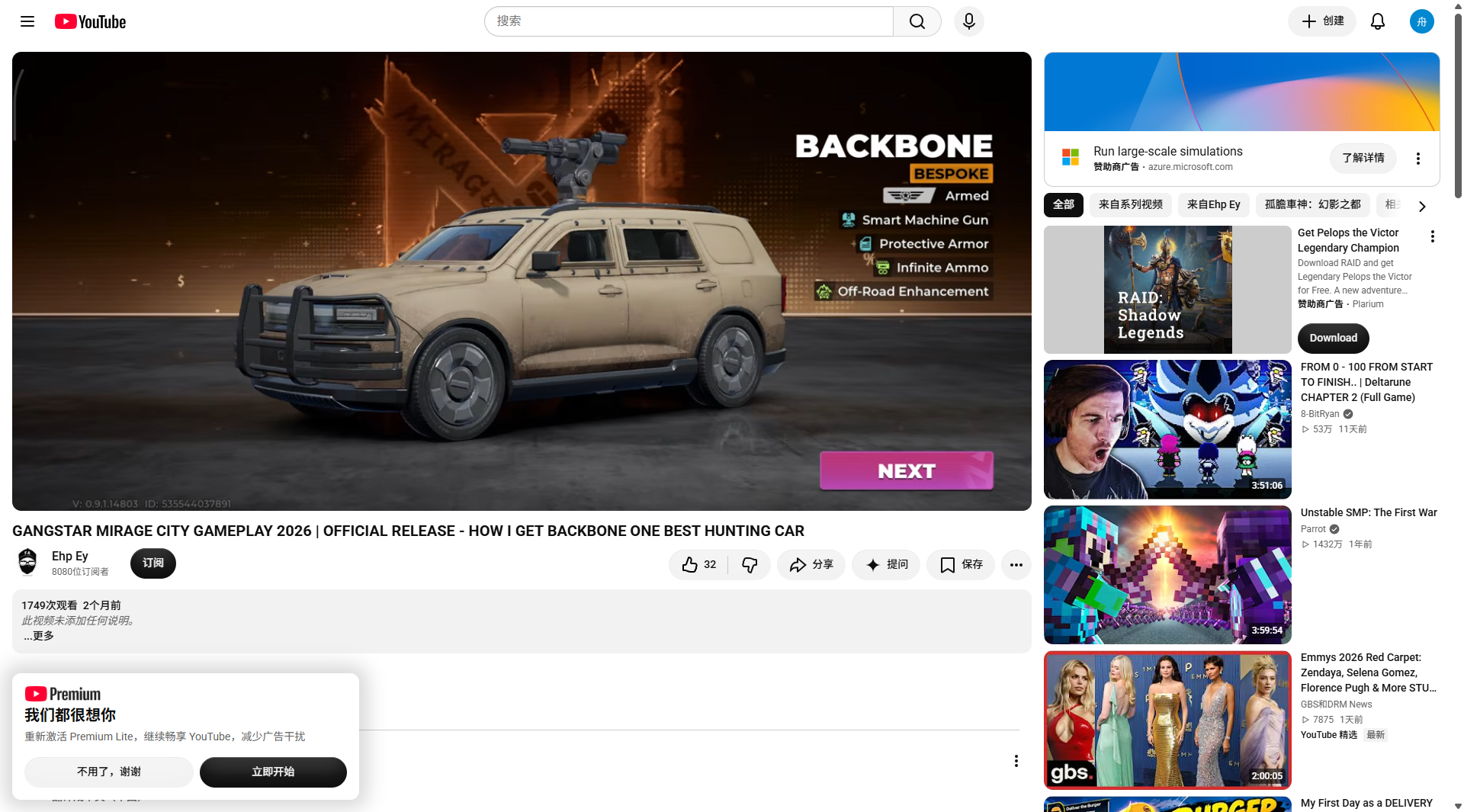
Community footage presents Backbone in hunting and mission driving scenes. A separate walkthrough focuses on a Backbone mission, while another video shows a weaponized vehicle sequence. These scenes support the vehicle role, not a permanent shop price or unlock rule.
| Question | Current answer |
|---|---|
| Is Backbone shown in gameplay? | Yes, in multiple community walkthroughs. |
| What role is reported? | Hunting, mission travel, and combat-support driving. |
| Which traits are visible in the captured card? | Armed; Smart Machine Gun; Protective Armor; Infinite Ammo; Off-Road Enhancement. |
| Is a universal price confirmed? | No. Check the current vehicle card. |
| Is a universal unlock level confirmed? | No. Follow the account-specific prompt. |
How to verify Backbone on your account
- Open the vehicle collection, garage, or current mission vehicle prompt.
- Read the vehicle name and type before starting the objective.
- Record the displayed price, unlock condition, and any visible traits.
- If the vehicle is tied to an event or mission, confirm the reward or completion screen before treating it as permanent.
- Test steering, braking, weapon controls, and repair access on the same route used by the objective.
Backbone video evidence
Watch in page
Backbone video evidence
Choose a video that matches the part of the mission you are playing. If playback is unavailable, use the YouTube fallback shown in the player.
Use Backbone for the right job
The captured card is useful when a mission needs a weaponized vehicle or rough-road travel. It does not tell you how much damage the gun deals or how long the armor lasts. Test those points on the same mission route before replacing a car that already works.
| Situation | What to do |
|---|---|
| Hunting or combat support | Enter with the weapon controls visible and keep a repair option nearby. |
| Off-road travel | Use the route shown by the mission rather than assuming every dirt path is faster. |
| Passenger or delivery work | Check the objective vehicle type first; an Armed label does not prove passenger eligibility. |
| Timed objective | Run one dry attempt to learn the weapon input and turning space before starting the timer. |
If the Backbone card looks different
- Check the build number and region shown on the account before comparing it with a video.
- Open the vehicle details screen instead of relying on a garage thumbnail.
- If a trait is missing, record the exact label and send the current screenshot to the page feedback channel.
- Do not pay for a vehicle because a video calls it the best hunting car; compare the displayed requirement and your route first.
Continue with vehicles and map
- Browse all known vehicles — Compare confirmed vehicle roles and traits.
- Open the Rooklyn map — Use district routes and check current vehicle markers.