
On this page
- Mission types at a glance
- Mission achievement targets
- Bobby Connections rewards
- Build a reliable mission record
- Bank heist preparation checklist
- Legendary loot and hidden objectives
- Recommended mission progression order
- Walkthrough videos: start here
- Walkthrough tips and tricks
- Story and Contact missions
- Company missions, jobs, and targets
- Battle Pass missions
- Crew heist mission flow
- Mission preparation checklist
- Difficult objectives and missing mission details
- OSPD car mission walkthrough
- Walkthrough FAQ
- Version and availability notes
Mission types at a glance
| Mission type | Main purpose | Current status |
|---|---|---|
| Tutorial and opening job | Teach movement, combat, driving, objectives, and police response | Opening bank-job structure appears in current walkthroughs and launch guides. |
| Story missions | Advance the campaign and unlock core systems | Core route; complete chapter list pending. |
| Contact missions | Develop Contact progression and open activities or services | Exact relationship rewards and unlock order need direct checks. |
| Company and business objectives | Develop Criminal HQ, money processing, businesses, and empire systems | Company UI and business progression are documented; mission names and rewards remain incomplete. |
| Jobs and targets | Provide side objectives, progression tasks, and repeatable activity | Current video guides show jobs and targets, but no authoritative master list is available. |
| Crew heists | Coordinate a team against vaults or high-security transports | Crew heists and these target classes are officially confirmed. |
| Events and multiplayer activities | Add time-limited, Crew, race, turf, or PvP objectives | Feature categories are official; availability, matchmaking, and rewards vary by event and version. |
Mission achievement targets
The Achievements menu names selected story, Contact, and heist goals. These entries can help identify the active activity, but the mission tracker remains the source for prerequisites, route steps, and completion rules.
- Browse all captured achievement targets — Check Company, equipment, Wanted, and co-op goals too.
| Achievement | Visible goal | Where to continue |
|---|---|---|
| Powder Keg | Complete Main Story Mission: The Business | Follow the active story tracker. |
| Full Throttle | Complete Main Story Mission: Drive Me Crazy - Heist | Confirm the mission title before starting. |
| Glitz and Glamour | Complete Jewelry Store Heist - Heist | Check the current heist access and team conditions. |
| Charlie: Nightfall Crisis I | Pursue escaping Family members in Coupe de Grace | Open Charlie’s Contact list and match the mission title. |
| Pinpoint: Death Crosshair VIII | Eliminate Orarra and gang members at the base in Hit List | Follow Pinpoint’s active Contact mission. |
Bobby Connections rewards
Bobby has a separate Connections rank track that uses Action Points. The captured screen shows cash, ammunition, combat items, upgrade materials, chests, cosmetics, and a vehicle reward, while Bobby himself remains locked behind an unnamed “big event” contact message.
- Open Bobby Connections rewards — See the Action Point track, named rewards, and the recorded unlock message.
Build a reliable mission record
When a mission is difficult or a walkthrough looks different, record the information shown on the current account before trying another route. This prevents a reward, prerequisite, or objective from one version being mistaken for a universal rule.
| Field | What to capture |
|---|---|
| Mission identity | Issuer, exact title, icon, and story/contact/company category |
| Prerequisite | Required level, completed mission, Company state, Crew access, vehicle, or weapon |
| Objective | The full on-screen wording and any counter or timer |
| Failure point | What caused the retry: alarm, target escape, vehicle loss, timer, or connection |
| Result | Reward screen, unlock message, cooldown, and replay option |
| Context | Platform, region, game version, account progress, and difficulty |
Bank heist preparation checklist
Bank heists combine preparation, indoor combat, a vehicle escape, and police pressure. The exact stage names, tools, team size, and reward depend on the active mission screen, so use this checklist before accepting a run.
- Read every preparation objective and confirm whether it must be completed in order.
- Assign one player to the interaction objective and agree who covers the approach and extraction.
- Bring a general-purpose weapon, a close-range option, ammunition, and recovery items.
- Choose the getaway driver before the finale and check the vehicle condition.
- Set a regroup point outside the objective area before triggering alarms.
- After the result screen, record reward, costs, failure, cooldown, and version before calling the route repeatable.
- Open the co-op heists guide — Prepare roles, loadouts, communication, and extraction.
Recommended mission progression order
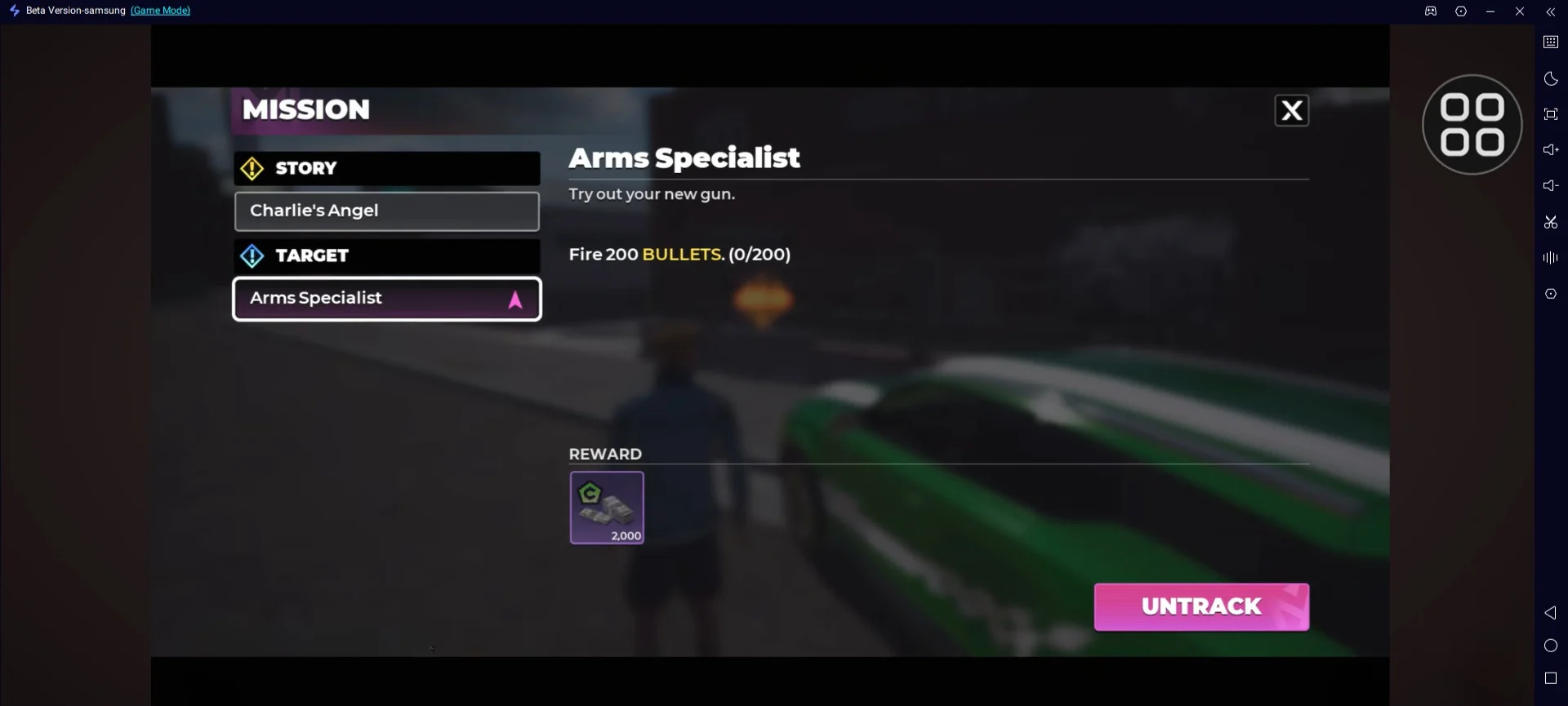
- Complete every tutorial prompt before leaving the intended route.
- Follow the visible story objective until the phone, apartment, shops, and core services become usable.
- Prioritize Contact missions that explicitly unlock a feature or progression route.
- Build one dependable weapon loadout and one controllable vehicle before difficult jobs.
- Learn Company and money-processing rules before committing currency to business expansion.
- Add Crew heists after access, equipment, team roles, and session time are clear.
- Treat events and PvP objectives as version-dependent content rather than permanent progression requirements.
Walkthrough videos: start here
Use the Part 1 videos for the opening tutorial and first trip through Rooklyn. The longer mission videos are useful when an objective is unclear, but the objective text on the current account should always take priority.
Watch in page
Walkthrough videos: start here
Choose a video that matches the part of the mission you are playing. If playback is unavailable, use the YouTube fallback shown in the player.
- New account: watch a Part 1 tutorial, then repeat the same objective in the in-game tracker.
- Story progress: keep the mission marker visible and pause the video before choosing a vehicle or loadout.
- Difficult objective: search the video titles for the mission name, then confirm the issuer and objective on screen.
- Co-op activity: check the lobby requirements and team roles in the current build before starting.
- Open the story mission progression guide — Follow the spoiler-light route from the tutorial into story and Contact missions.
- Open the beginner guide — Prepare controls, money, weapons and vehicles before difficult objectives.
- Open the controls guide — Review driving, combat and map controls before following a video.
Walkthrough tips and tricks
- Read the full objective before moving; some missions change from travel to combat after the first checkpoint.
- Bring a controllable vehicle and a general-purpose weapon instead of the rarest option in the garage.
- Clear an existing Wanted Level before a timed mission unless the objective specifically requires police pressure.
- Keep ammunition and repair currency ready so one failed attempt does not stop progression.
- For a mission that looks different from a video, trust the title, issuer and objective shown by the in-game tracker.
- Choose a vehicle for the mission — Compare handling and mission roles in the vehicle database.
- Use the interactive map — Find districts, mission markers and related city locations.
Story and Contact missions
Story missions form the safest spine for a new account because they introduce the city and unlock systems in a controlled order. Begin with the opening robbery sequence, then follow the next main objective displayed in the tracker as the city opens.
Contact missions connect progression to named characters and factions. Their activities, relationship rewards, and unlock order can vary with account progress or version, so follow the active Contact objective and read each unlock message before choosing the next mission.
- Read the Contact, mission title, prerequisite, objective, reward, and newly unlocked system before leaving the completion screen.
- Separate story-required Contact missions from optional relationship progression.
- Check whether a failed or abandoned mission can be restarted without cost.
- Do not infer a universal mission order from timestamps when the account state is unknown.
Company missions, jobs, and targets
Company and business objectives belong to the wider criminal-empire loop. Use the Company screen to see upgrade limits and money-processing options, then choose jobs and targets whose prerequisites, cooldown, and displayed reward fit the current goal.
Choose these activities by the system they advance. A job that opens a service, increases usable income, or supports a required upgrade can be more valuable than a higher-looking payout with ammunition, vehicle, or failure costs.
| Before accepting | What to check |
|---|---|
| Objective | Required vehicle, weapon, target, delivery, or interaction |
| Prerequisite | Story progress, Contact, Company level, Crew, or equipment |
| Costs | Ammunition, repairs, entry fee, consumables, and failure risk |
| Reward | Spendable currency, Dirty Money, item, reputation, unlock, or event score |
| Repeat rules | Cooldown, daily limit, replay availability, and version |
| Session conditions | Solo or co-op, matchmaking, region, and connection stability |
Battle Pass missions
Battle Pass objectives can overlap with story, Contact, business, job, race, PvP, Guide, and Base activities. Read the current mission list before a session, then choose an activity that advances more than one active objective.
- Open the Battle Pass guide — Plan objectives, claims, expiry checks, and a premium-path decision.
Crew heist mission flow
Cooperative heists target bank vaults and high-security transports. A four-player team can divide responsibility between the objective, security coverage, support and driving. These are practical responsibilities rather than fixed character classes.
A practical heist sequence is recon and preparation, approach and breach, objective work, then extraction. The exact tools, alarms, routes, player limit, and reward split must be checked on the current mission screen instead of copied from another activity.
- Stage the getaway plan before triggering the objective.
- Assign the mission interaction and security responsibilities before the countdown.
- Carry enough ammunition and avoid three weapons that serve the same range.
- Regroup for extraction instead of extending optional fights.
- Record gross reward, costs, failures, duration, cooldown, and version after the result screen.
Mission preparation checklist
| Check | Ready when |
|---|---|
| Tracker | The objective wording and destination are understood. |
| Loadout | Weapons cover general combat and close pressure, with adequate ammunition. |
| Vehicle | The mission vehicle or a reliable escape option is available and undamaged. |
| Wanted status | Existing police pressure is cleared unless the activity explicitly requires it. |
| Inventory and storage | Required tools are present and the device has space for captures or updates. |
| Team | Roles, start signal, regroup point, and expected session length are agreed. |
| Evidence | Version, platform, region, prerequisites, and reward screen can be recorded. |
Difficult objectives and missing mission details
High-friction objectives include gold bars, vehicle modifications, accessory purchases, clearing a five-star Wanted Level through C10UD, and Smuggler’s Run. Each objective still needs its mission title, prerequisite, account state and reward recorded before it can become a universal walkthrough.
Use a walkthrough only when its mission title, issuer, prerequisite, objective, and account state match the current screen. Missing rewards or replay rules should be checked in game instead of copied from another Gangstar title.
- Complete the Commuter vehicle objective — Identify a Commuting car, then modify or sell it at a Car Mod Shop.
OSPD car mission walkthrough
Siren Sprint requires an OSPD car to be driven for 3,000 meters. The recorded walkthrough uses the white police sedan labeled Essex (OSPD), and the distance counter begins moving after the player enters it. Stay in the same patrol car until the completion screen appears.
Watch in page
OSPD car mission walkthrough
Choose a video that matches the part of the mission you are playing. If playback is unavailable, use the YouTube fallback shown in the player.
- Track Siren Sprint so the 0/3,000 counter remains visible.
- Find a white OSPD patrol sedan on the street or during a police response.
- Enter the car and confirm that its label reads Essex (OSPD).
- Check that the counter begins increasing before choosing a long road loop.
- Keep driving the same patrol car until the objective reaches 3,000/3,000.
- Open the complete OSPD car guide — See the accepted vehicle, route steps, reward, and counter troubleshooting.
- Check the Wanted Level guide — Manage police pressure while completing an OSPD vehicle objective.
- Browse the vehicle list — Review known vehicle names and current role notes.
Walkthrough FAQ
| Question | Answer |
|---|---|
| Is there a Gangstar Mirage City walkthrough? | Yes. Start with the tutorial and story route on this page, then open the story, Contact and beginner guides for the next objective. |
| Where can I watch Gangstar Mirage City walkthrough videos? | The Part 1, tutorial and mission videos are embedded near the top of this page. If the player cannot load, use the YouTube link shown below it. |
| Is there a complete all-levels walkthrough? | Long mission videos are available, but a single verified list covering every level, prerequisite and reward is not available yet. Follow the current in-game mission tracker for the exact order. |
| What are the best walkthrough tips and tricks? | Read the objective first, use a controllable vehicle, carry a flexible weapon loadout, clear unwanted police pressure and confirm any difference against the current mission screen. |
| Is Gangstar Mirage City walkthrough available on PS4? | No official PS4 release is confirmed. The walkthrough videos and store listings currently cover Android and iOS, with PC play relying on an Android emulator. |
Version and availability notes
Available now: Story progression, open-world missions, Crew heists, bank vaults, high-security transports, businesses, races, PvP, and event activities are available at feature level.
May vary by account or version: A complete named mission list with prerequisites, rewards, replay rules and version history remains unavailable.
Unlock levels, costs, rewards, conversion rates, and balance values can change by version or region. Follow the current in-game label when it differs.